What is OpenClaw AI and how does it work?
OpenClaw AI is a free, self-hosted platform that functions as a 24/7 personal AI assistant on your computer. Created by Peter Steinberger, it evolved from a basic chat script into a system that proactively executes tasks across your digital workspace.
In March 2026, it became the fastest-growing GitHub project in history. It hit 250,000 stars in just 60 days, completely beating React's decade-long record. The system transforms simple chatbots into active coding agents with persistent memory.
Your AI can book podcast guests through email and negotiate car deals using browser automation. It can write code and manage files using Node.js scripts or cron jobs while you sleep. You run it locally on Windows Subsystem for Linux (WSL), a Mac Mini, or a US-based cloud VPS.
Your AI can book podcast guests through email and negotiate car deals using browser automation. It can write code and manage files using Node.js scripts or cron jobs while you sleep. You run it locally on Windows Subsystem for Linux (WSL), a Mac Mini, or a US-based cloud VPS.
All data stays firmly under your control. OpenClaw keeps conversations encrypted on disk using SQLite. It never sends private data to third-party servers unless you configure remote backups.
You must handle this power carefully. A Meta executive recently reported that an unrestricted OpenClaw instance accidentally wiped her email inbox.
To prevent data loss, always restrict the agent's file access to specific, non-critical directories during your initial setup.
Core Components of OpenClaw
The core architecture relies on distinct modules working together to process messages and execute commands. Every part of the system synchronises perfectly. Node.js powers the key processes, while the agents.md file sets clear workflows.
Because the entire codebase is public on GitHub, developers can easily audit the system. This transparency is vital for security architecture. Tools like browser automation sharpen these AI assistants, bringing effective control to tasks across multiple platforms.

What are Channel Adapters and how do they function?
Channel adapters act as dedicated bridges between OpenClaw AI and external messaging platforms like Telegram, Discord, and Slack. Each platform has its own adapter directory in the source code.
These adapters handle platform-specific authentication. For example, WhatsApp integration uses Baileys for QR pairing. According to the official Baileys GitHub page, it uses a direct WebSocket protocol instead of a heavy Chromium browser.
This lightweight approach saves you roughly half a gigabyte of RAM, and the adapters effortlessly process text, audio files, emojis, and conversation context. Access control sits right inside this layer, using strict allowlists to filter channel participants by phone number.
Group settings often require direct mentions to engage the agents.md file properly within multi-agent routing scripts. This system allows your coding agents to exchange information securely across platforms.
How do Control Interfaces operate within OpenClaw?
Control interfaces give users a centralised dashboard to manage projects and adjust real-time AI settings. The web UI allows you to quickly adjust the following parameters:
- Upload custom datasets for targeted model training.
- Tweak the LLM temperature to control output creativity.
- Monitor real-time resource usage and node health.
Security is built directly into the command line interface. You can run the built-in “OpenClaw Doctor” CLI command at any time. This tool actively checks your system for risky direct message policies and misconfigured sandboxes.
Developers use API access to integrate advanced features into apps built with node.js or Swift. The macOS app provides easy menu bar control alongside features like SSH gateway management.
Mobile nodes add further options by linking device hardware like cameras or location data. They even integrate with ElevenLabs text-to-speech APIs. This specific integration allows continuous, hands-free voice control on Android and iOS devices.
What is the role of the Gateway Control Plane?
The Gateway Control Plane acts as the central hub for message routing, access control, and network security. Written in Node.js 22+, it connects messaging channels like WhatsApp, Telegram, and Discord.
It operates as a local-first WebSocket server. The Gateway currently manages connections for over 20 different communication channels simultaneously. It binds to 127.0.0.1 by default to keep external traffic out.
Cybersecurity experts strongly warn against exposing this gateway port directly to the public internet. If you need remote access, you must place a reverse proxy with TLS authentication in front of it.
Each operation that writes to persistent memory uses strict idempotency keys for reliability. Clients interact with the Gateway through typed protocols validated against JSON Schema. Localhost connections can auto-approve, but remote users need explicit device-based pairing.
How does the Agent Runtime contribute to the system?
The Agent Runtime builds dynamic context and streams requests directly to your chosen large language model. It lives in the core architecture and handles rapid, streaming responses to make chats instant.
For every user interaction, the runtime checks the sender ID and gathers session history. It pulls from workspace configuration files like user.md and completes a fast memory search.
The runtime then merges your instructions and the system state into a massive “megaprompt.” This creates a highly accurate dynamic context for each turn.
To protect your system, security researchers recommend pairing the runtime with a highly secure LLM. Using the Claude 3.5 Sonnet model lowers prompt injection risks because of its advanced internal refusal training.
Tool calls run securely inside Docker containers, keeping risky sessions safe through strict sandboxing. Results from these tools feed right back into the conversation flow and save straight to disk.

What are the key components of the OpenClaw AI system?
The system stands on four main pillars that handle identity, task processing, routing, and language generation. These are the Peer Node, Distributed Compute, Gateway, and Agent Runtime.
Peer Nodes manage identity using a peer-to-peer approach with gossip protocols. Distributed Compute powers massive tasks like browser automation by splitting the load over several machines. The Gateway controls everything from SSH keys to presence information.
Unlike traditional AI wrappers, OpenClaw avoids complex vector databases, storing all semantic memories and session logs locally in plainfiles. A rich plugin system supports the runtime discovery of new tools and Memory modules, expanding the system's skills without touching the core code.
The modular nature of AGENTS.md and SOUL.md makes prompt engineering incredibly precise, keeping unnecessary tokens out of the context window.
The Canvas A2UI system provides a live visual workspace. This feature allows the agent to render and manipulate a graphical interface directly on your screen. Only useful skills get added to each prompt, keeping API costs low by reducing unnecessary context window usage.
Step-by-Step Breakdown of OpenClaw's Workflow
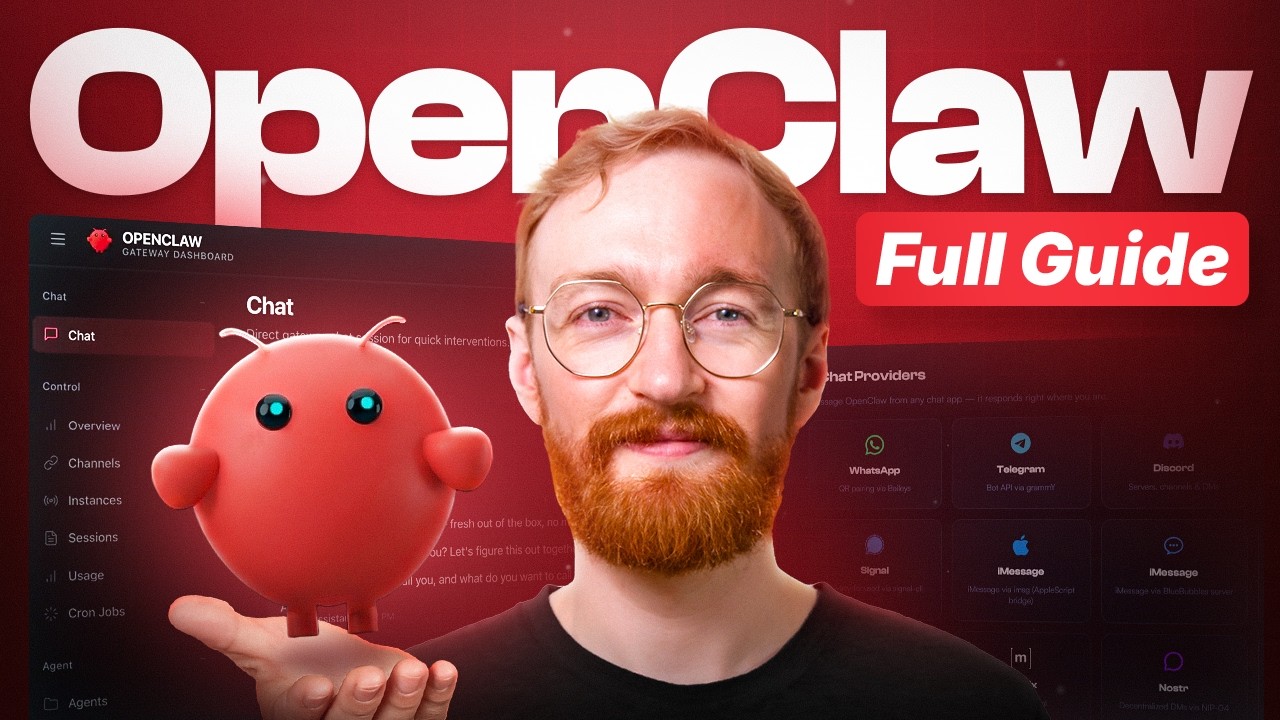
The workflow captures inbound messages, verifies access rights, builds context, and executes tools before delivering a response. OpenClaw connects your AI assistant to powerful tools like the filesystem, cron jobs, and browser automation using node.js.
The system normalises all incoming data into a single, unified JSON format. This standardised approach allows coding agents to process a WhatsApp voice note exactly like a Slack text message.
What happens during the Ingestion phase?
During ingestion, the channel adapter receives the raw data and extracts the relevant text, media, or reactions. For example, the Baileys library receives a WebSocket message directly from WhatsApp.
The adapter parses every piece of data. This supports multi-modal inputs for richer user interactions beyond plain text. You must configure your inbound parser to check media file sizes carefully.
Sending massive video files through WebSockets can cause unexpected timeout errors and crash the node. Each platform uses its own parser, but the data always converts into one standard data format.
If you are ingesting high volumes of data, pacing is critical. Developers on Reddit strongly advise adding randomised delays between messages. This simple step helps you bypass automated anti-spam filters on major platforms.
How is Access Control and Routing managed?
Access control enforces strict allowlists to ensure only approved users can interact with the agent. The system checks access immediately after ingestion, keeping latency under 10 milliseconds.
Direct messages follow strict policies based on your preferences:
- Pairing Default: Requires a cryptographic code for every new device.
- Open Access: Allows any user to interact (highly discouraged for public networks).
- Disabled: Completely shuts down direct messaging for that specific channel.
If an unauthorised user tries to send a message, the system responds with a secure pairing code that you must approve manually through a CLI command. Remote connections demand explicit human approval for safety, which is crucial since a February 2026 security audit revealed that over 30,000 OpenClaw instances were exposed publicly.
All routing steps use these controls to keep your multi-agent workflows secure across external cloud service providers.
What happens in the Context Assembly phase?
The Agent Runtime retrieves the active session from disk and combines it with system instructions to form a prompt. It pulls necessary rules from configuration files like AGENTS.md, SOUL.md, and TOOLS.md.
Dynamic instructions from workspace files join in to guide session-specific actions. When a conversation gets too long, the system initiates context compaction.
This process summarises older dialogue logs into a dense paragraph. Compaction saves significant API costs while preserving essential details.
A fast semantic memory search finds relevant past exchanges. The assembled prompt then heads to the LLM. If you use a model like Claude 3.5 Sonnet, you benefit from a massive 200,000-token context window. This capacity allows the agent to reference hundreds of pages of project history instantly.
How does Model Invocation work?
The fully assembled context is sent via API call to a provider like Anthropic, OpenAI, or a local model. This step supports fast, streaming responses for real-time feedback.
Node.js handles the message routing efficiently. If you use Claude 3.5 Sonnet through Amazon Bedrock, the latency to receive the first token averages a rapid 1.16 seconds.
Model selection happens per agent or session in OpenClaw's architecture. You can select Claude Opus for complex coding agents or save costs by using lighter models for basic tasks.
API charges accumulate quickly if you leave the agent running 24/7, with Claude 3.5 Sonnet costing $3.00 per million input tokens. You must monitor your dashboard closely to avoid surprise bills, especially since the system constantly scans output for specific tool calls triggered by special tokens.
What is involved in the Tool Execution phase?
Tool execution occurs when the agent triggers specific scripts, like bash commands or browser clicks, based on the LLM's output. The system reads the precise instructions for these actions from a local SKILL.md directory file.
Because the agent executes real code on your machine, you must monitor the speed and safety of each task type:
| Task Type | Average Latency | Risk Level |
|---|---|---|
| Bash Commands | Under 100ms | High (Requires Docker) |
| Browser Automation | 1 to 3 seconds | Medium (Sandboxed) |
Security researchers recently found that 20% of the plugins in the community marketplace contained hidden malware. You must audit every script's source code before installation.
Docker sandboxes run these tools during untrusted sessions. The system completely destroys every execution container once the task completes. This vital step guards against persistent threats in shared spaces, ensuring secure multi-agent collaboration.
How is Response Delivery handled?
Response delivery formats the AI's final output to perfectly match the limitations and styling of the target messaging app. OpenClaw AI uses a strict PULL, PROCESS, and PUSH pipeline.
The Gateway adjusts each reply with propersupport. The system uses automated message chunking to split massive text blocks, bypassing strict character limits on platforms like Slack or Telegram.
It also simulates realistic human typing indicators. This subtle delay makes the agent appear natural, which prevents automated bans from aggressive social media filters.
All answers are stored as JSON files for persistence. You can set up cron jobs to send out scheduled briefings, like morning market reports, automatically.
Data Storage and Management
OpenClaw manages user data locally through highly optimised JSONL files and local SQLite databases. Smart embedding pickers keep your agents working smoothly without compromising privacy.
Unlike commercial SaaS tools that lock your information in proprietary cloud databases, OpenClaw operates entirely on your hardware. It keeps your sensitive email content, calendar entries, and financial data securely on your local infrastructure.
How are Session State and Compaction managed?
Session state is maintained in JSONL files, while compaction summarises older dialogue to prevent exceeding the LLM's token limit. This ensures the AI always remembers the exact context of your current project.
Auto-compaction acts like an intelligent archivist, turning verbose logs into dense, cost-saving summaries before the context window bursts.
Auto-compaction kicks in automatically as the session nears the maximum context window. To maximise privacy, you can configure a local model like Ollama to handle this summarisation. This keeps your private chat history completely offline.
The underlying architecture mimics write-ahead logging found in enterprise databases. It saves every single state change instantly to your local disk. If your node crashes during a task, the agent resumes exactly where it left off without data loss.
What methods are used for Memory Search and Indexing?
The system uses a hybrid search that combines semantic vector similarity with BM25 keyword matching. Each agent maintains its own SQLite database for blazing-fast access to past conversations.
A recent technical analysis showed that the memory.md database refreshes its index every 1.5 seconds. This rapid update cycle prevents the agent from working with stale information during fast-paced coding sessions.
OpenClaw requires an active embedding provider to power the vector search. If you disable the embedding provider in the config file, the semantic search completely stops. The agent will then rely solely on basic keyword matching, which reduces the quality of its insights.
How is the Embedding Provider chosen?
Users select their preferred embedding provider during the initial workspace setup based on privacy needs and budget. Supported options include OpenAI, Gemini, Voyage, and local models.
For enterprise users with strict compliance rules, you can integrate Clarifai's Local Runner. This specific tool allows you to run custom embedding models entirely offline.
Your choice directly impacts your overall API costs and query performance. If you decide to switch providers later, be prepared for a temporary performance drop.
Changing the provider triggers a massive, system-wide reindexing of all existing memory files. This process spikes CPU usage significantly, so developers recommend doing this during off-peak hours.
How is security implemented in OpenClaw?
Security is implemented through strict token authentication, isolated Docker containers, and rigorous context separation. OpenClaw uses strong methods to guard network connections and secure device pairing.
Security is built on three foundational pillars:
- Strict token authentication for all network handshakes.
- Isolated Docker containers for high-risk script execution.
- Rigorous context separation to defeat hidden prompt injections.
Running an autonomous agent requires extreme caution. In early 2026, cybersecurity researchers discovered a zero-click exploit capable of hijacking an OpenClaw instance through a single malicious webpage.
This alarming vulnerability highlights the absolute necessity of running the software on a locked-down, private network. Tool sandboxing and password protection are your primary defences against these threats.
What measures secure Network Security and Device Pairing?
Network security relies on binding the gateway to a local loopback address and requiring explicit cryptographic pairing for all devices. By default, the Gateway stays completely invisible to the public internet.
If you require remote access to your agent, you must never open the port directly. Instead, you must set up a reverse proxy like Nginx configured with strict TLS rules and password authentication.
Every network connection demands token-based authentication. Device pairing generates unique cryptographic keys tied to specific hardware. This robust process blocks unauthorised devices from silently connecting to your agent's websocket server.
The Control UI operates exclusively in secure contexts, ensuring your session data remains encrypted in transit.
How does Tool Sandboxing protect the system?
Tool sandboxing uses Docker containers to isolate executing scripts from your core operating system files. Direct messages and group channels run inside entirely separate environments.
When configuring your agent, you must intentionally disable network access within the Docker container settings for untrusted sessions. This critical step prevents malicious scripts from stealing your private API keys and transmitting them to external servers.
After a session finishes executing a task, the system instantly destroys the Docker container. No lingering files or hidden malware scripts survive this purge.
Security policies operate on a strict hierarchy, prioritising sandbox restrictions above all other user rules.
What defences exist against Prompt Injection?
The system defends against prompt injection by completely isolating user commands from external web content. This context isolation forms your first line of defence against attacks hidden in emails or chat logs.
Context isolation forms your absolute first line of defence against advanced manipulation tactics hidden in emails or chat logs.
To maximise protection, security engineers advise running the strongest model you can afford. Using a model like Claude 3.5 Sonnet provides superior built-in refusal mechanisms against advanced manipulation tactics.
For untrusted sessions, access to your filesystem gets locked down instantly. Strict human approval protocols block the agent from automatically authorising new devices, even if a malicious prompt commands it to do so.
Regular audits of your connected channels drastically cut the risk of exposing sensitive information.
Deployment Options for OpenClaw AI
You can deploy OpenClaw locally for personal use or configure a remote gateway on a cloud server for continuous availability. Setting up the environment gives coding agents the space they need to operate continuously.
For users intimidated by terminal commands, managed services like the Netlify-style “OpenClawd” platform now offer secure, hosted infrastructure. If you prefer complete control, local installation remains the most popular choice.
Windows users face specific hardware constraints. You must run the system through the Windows Subsystem for Linux (WSL2), because the native Windows filesystem processes the frequentfile updates far too slowly.
How to set up OpenClaw for Local Development?
Local setup involves installing Node.js, running the official installation script, and providing an LLM API key. The process is streamlined for developers.
Here is how you get your agent running:
- Download and install Node.js version 22 or newer to meet the core system requirements.
- Launch your terminal and enter: https://openclaw.ai/install.sh | bash. Windows users should use PowerShell to execute https://openclaw.ai/install.ps1.
- Obtain a valid API key from Anthropic or OpenAI to power the agent's reasoning layer.
- Type
openclaw onboard --install-daemonin your terminal. This vital command launches the wizard and registers the Gateway as a continuous background service. - Follow the prompts to connect Telegram via a bot token or scan the provided QR code for WhatsApp.
- Approve the unique device pairing code presented in your CLI terminal.
- Edit your generatedfiles, like SOUL.MD and TOOLS.MD, to customise the agent's behaviour and file permissions.
What are the steps for Remote Gateway Deployment?
Remote deployment requires setting up the Node.js server on a VPS and securing the connection through a VPN tunnel. This setup keeps your data safe while ensuring the AI assistant is always responsive.
Security logs from early 2026 prove that failing to set up password authentication on public endpoints leads to immediate compromise. Follow these strict deployment steps:
- Install the Gateway as a persistent systemd service on your Linux server to ensure automatic restarts.
- Establish a secure SSH tunnel to safely connect remote clients directly to your workspace configuration.
- Activate Tailscale Serve. This tool restricts all incoming HTTPS traffic strictly to authorised devices within your private tailnet.
- If public access is absolutely necessary, deploy the Gateway behind Tailscale Funnel and enforce complex password authentication.
- When using Fly.io, build a custom Docker image and attach a persistent memory volume for data storage.
- Manually approve every remote connection request during the device pairing phase to issue a secure token.
- Limit your WhatsApp channel adapter to a single-device setup to respect the platform's technical constraints.
- Configure scheduled cron jobs to monitor heartbeat.md and verify the ongoing health of your node.js processes.

Conclusion
OpenClaw AI redefines the limits of personal automation by placing immense power directly onto your hard drive. The blend of node.js architecture, multi-agent routing, and strict access control gives you a dedicated digital workforce.
Its community-driven plugin design ensures the system constantly evolves with new skills and browser automation techniques. Whether you manage it through a macOS app or the command line, you maintain absolute authority over your data.
As this platform matures, it will continue to unlock advanced capabilities for anyone willing to harness it. To master this tool, review how the key components of the OpenClaw AI system function.
FAQs
1. What is the core architecture behind OpenClaw AI and how does it function?
OpenClaw AI boots up as a local-first node.js gateway that handles message routing and multi-agent routing to execute autonomous workflows. The system defines its openclaw architecture through plain-text workspace configuration files, using agents.md for core instructions, tools.md for capabilities, and soul.md to shape the persona of various coding agents.
2. How does OpenClaw AI manage memory and personalisation during operation?
The ai assistant achieves deep personalisation by employing persistent memory, writing daily conversation logs directly to localfiles like memory.md to recall past user actions. It acts like a database using write-ahead logging, where heartbeat.md tracks ongoing background processes and user.md securely stores your individual platform preferences.
3. In what ways can OpenClaw AI interact with browsers and external platforms?
Through advanced browser control and seamless github integration, the software executes complex browser automation tasks, clicks a specific button on a webpage, and manages code repositories autonomously.
4. How do cron jobs fit into the workflow of OpenClaw AI?
Cron jobs allow the system to operate proactively, enabling the AI to schedule background tasks like daily data syncs or checking domestic US flight statuses without manual input. These scheduled routines run continuously while the application is active, ensuring your automated workflows trigger exactly when needed.
5. Who contributed to developing OpenClaw AI, and which technologies power its main functions?
Austrian developer Peter Steinberger originally built the framework using javascript before the open-source project ended up going viral in early 2026, leading to his recent move to OpenAI. The core intelligence relies on an external llm (large language model), supporting integrations with OpenAI or anthropic's models to drive complex reasoning and natural text-to-speech capabilities.
References
- https://openclawn.com/navigating-openclaw-ai-interface/ (2026-02-14)
- https://www.linkedin.com/posts/sukhad007_i-am-spending-my-free-time-trying-to-understand-activity-7425198658129649664-fFo4
- https://medium.com/@gwrx2005/proposal-for-a-multimodal-multi-agent-system-using-openclaw-81f5e4488233
- https://www.researchgate.net/publication/400788567_OpenCLAW-P2P_A_Decentralized_Framework_for_Collective_AI_Intelligence_Towards_Artificial_General_Intelligence (2026-02-15)
- https://openclawn.com/how-openclaw-ai-processes-information/ (2026-02-14)
- https://ppaolo.substack.com/p/openclaw-system-architecture-overview
- https://www.tencentcloud.com/techpedia/140794
- https://docs.openclaw.ai/concepts/compaction
- https://dev.to/czmilo/2026-complete-guide-to-openclaw-memorysearch-supercharge-your-ai-assistant-49oc
- https://www.linkedin.com/pulse/ultimate-openclaw-setup-guide-step-by-step-install-full-lamplugh-jr-egtec